How to Extract Data from an Offering Memorandum (and Check It)
You can pull the figures out of a broker’s OM by hand, with a general AI chat, or with a purpose-built tool. Whichever you choose, an extracted number is only useful once you can trace it back to the page of the PDF it came from.
What to extract from an OM
These are the fields most acquisition reviews start with. Where they appear varies by broker.
| Field | Where it usually appears | Check before you use it |
|---|---|---|
| Asking price or pricing guidance | Cover, executive summary, pricing page | “Call for offers” or “unpriced” stays blank, not estimated |
| NOI | Financial summary | Record the label: in-place, trailing, Year-1, or pro forma |
| Cap rate | Executive summary | Recompute NOI ÷ price; a mismatch usually means a different NOI definition |
| Building size and land | Property overview | Units (SF vs. acres) and whether size is gross or rentable |
| Year built or renovated | Property overview | A renovation year is not the year built |
| Lease terms (tenant, lease type, expiration, rent increases) | Tenant or lease summary | Remaining term depends on the as-of date; confirm against the lease when you have it |
| Occupancy and tenant mix | Summary or rent roll excerpt | A marketing excerpt is not the full rent roll |
| Broker contacts | Cover or back page | — |
Three ways to extract it
1. By hand into a spreadsheet
Full control, and you see every page. It gets slow when OMs arrive faster than you can read them, and typed figures lose their link to the source. If you work this way, add a column for the page number of each figure.
2. A general AI chat with the PDF attached
Quick for one question at a time. Tables, footnotes, and pro forma columns are easy to misread, and an answer is only as checkable as the citation it gives. Answers usually stay in the chat, so you copy figures into your own sheet. Before uploading, confirm your confidentiality agreement allows sharing the OM with a third-party service.
3. A purpose-built extraction tool
These map OM figures into a deal record or pipeline so you do not retype them. Products differ a lot: many are aimed at lenders or large teams and start with a sales demo; some, including CRE Pipeline, let you try one document yourself. The same confidentiality check applies.
Questions to ask any extraction tool
- Does every extracted value link back to the page or document it came from?
- When a field is missing from the OM, does the tool leave it blank or estimate it?
- If an accuracy figure is published, how was it measured and on which documents?
- Can you test it on one of your own OMs before paying?
- Where is the uploaded document stored, and who processes it?
A short check for any extracted OM data
- Recompute the cap rate from the extracted NOI and price.
- Confirm the NOI label (in-place, trailing, Year-1, pro forma) on the source page.
- Open the cited page for the price, NOI, size, and lease expiration.
- Check blanks are blanks. A field the OM does not state should not come back filled.
- Flag pro forma figures so they are not treated as actuals.
- Note the as-of date for anything time-based, such as remaining lease term.
For the review that comes after extraction, see how to analyze a commercial real estate offering memorandum.
What CRE Pipeline does
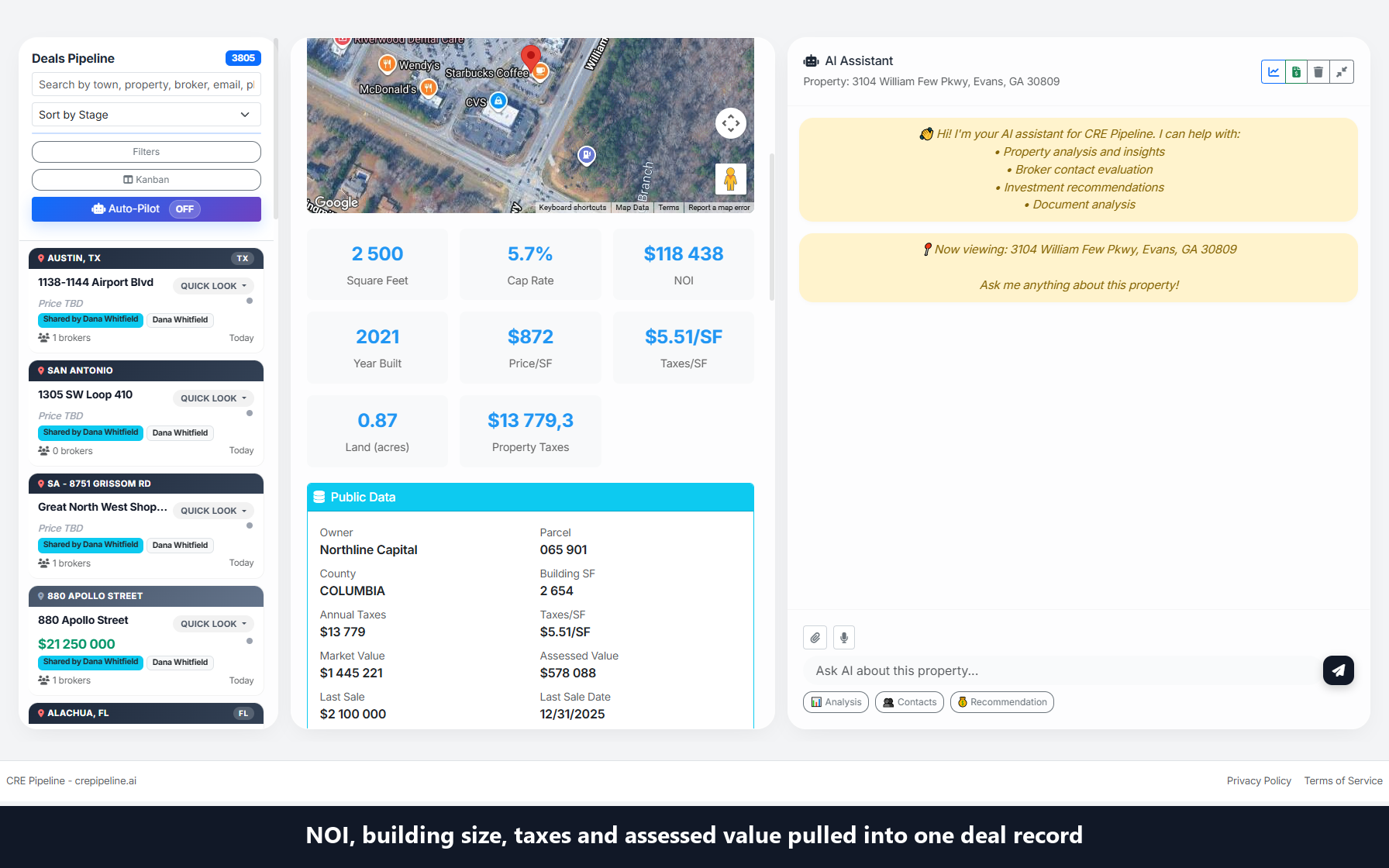
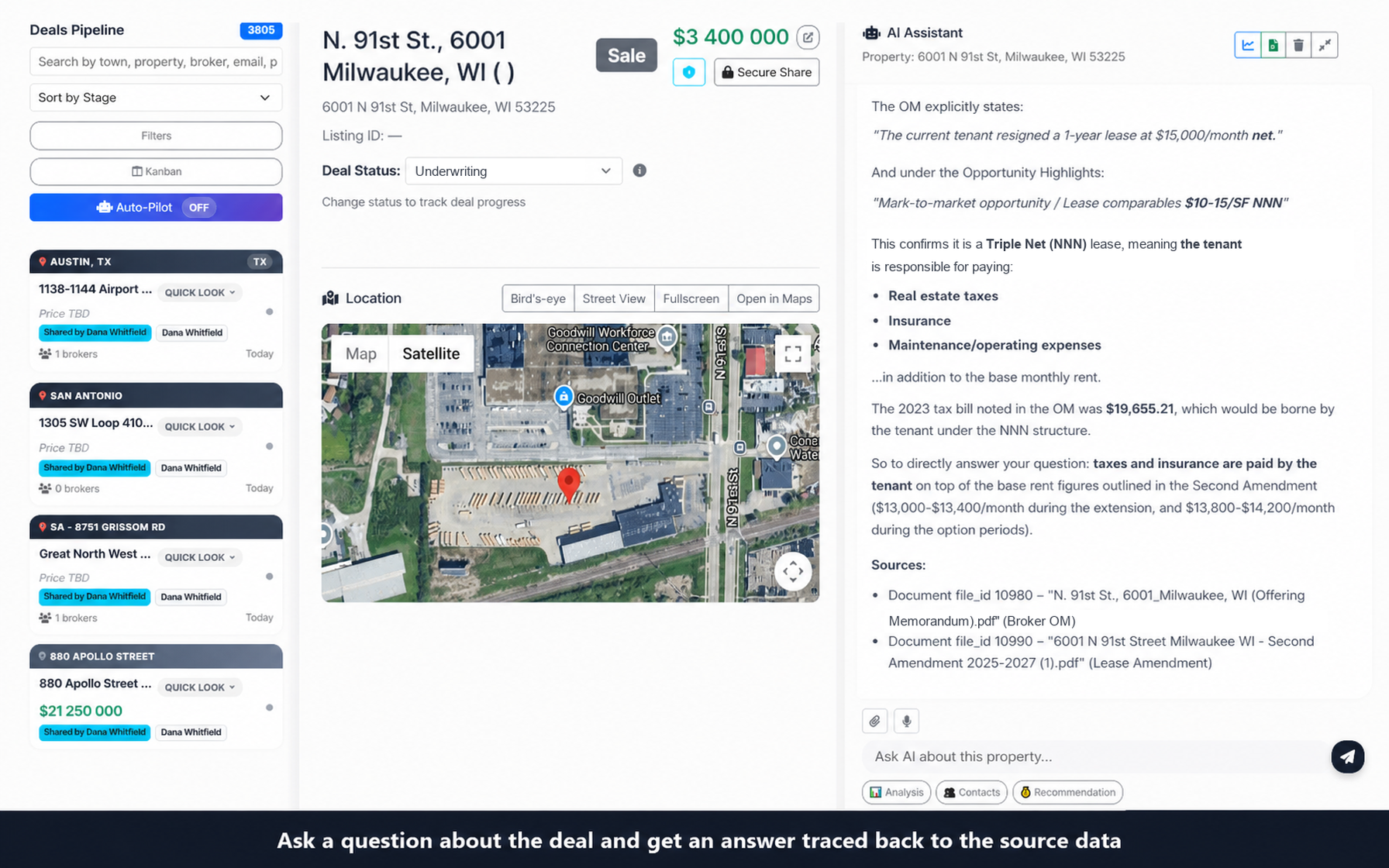
Upload an OM as a PDF and CRE Pipeline builds a deal record from the figures present in the file, such as price, NOI, cap rate, building size, and year built. Fields the document does not state stay empty. Each deal has an AI chat scoped to its documents. Chat answers can include a Sources block naming the document used; check important figures against the original PDF. This does not promise a page citation for every extracted field or a correct citation in every answer.
In our own test of the free first-document path with a broker OM for a single-tenant net-lease retail property, the chat answered a remaining-lease-term question and cited the page it used. That is one internal test, not a measurement of accuracy.
Limits
- PDF upload; scan quality affects what can be read. Prefer a text-based PDF.
- Our internal checks of the free path so far use single-tenant net-lease retail OMs; other property types are not separately verified here.
- It does not reconcile an OM with a T-12 or rent roll you have not uploaded, and it is not an underwriting model.
- The High-Level Underwriting report is separate and uses benchmark estimates and fixed assumptions (see Docs).
- No accuracy, time-savings, or human-review claims. Check figures that matter against the original PDF.
Create an account, upload one offering memorandum PDF, and review the structured deal record plus document chat. Continue on CRE Pipeline Monthly when you process a second document. Details on Pricing and Docs.
Analyze your first OM free